
Knowledge about CMS, websites and best practices.
Tips for website editors, product updates and best practices for building modern websites with Siteor CMS.
A contact form that works: confirmations, spam and enquiries that never arrived
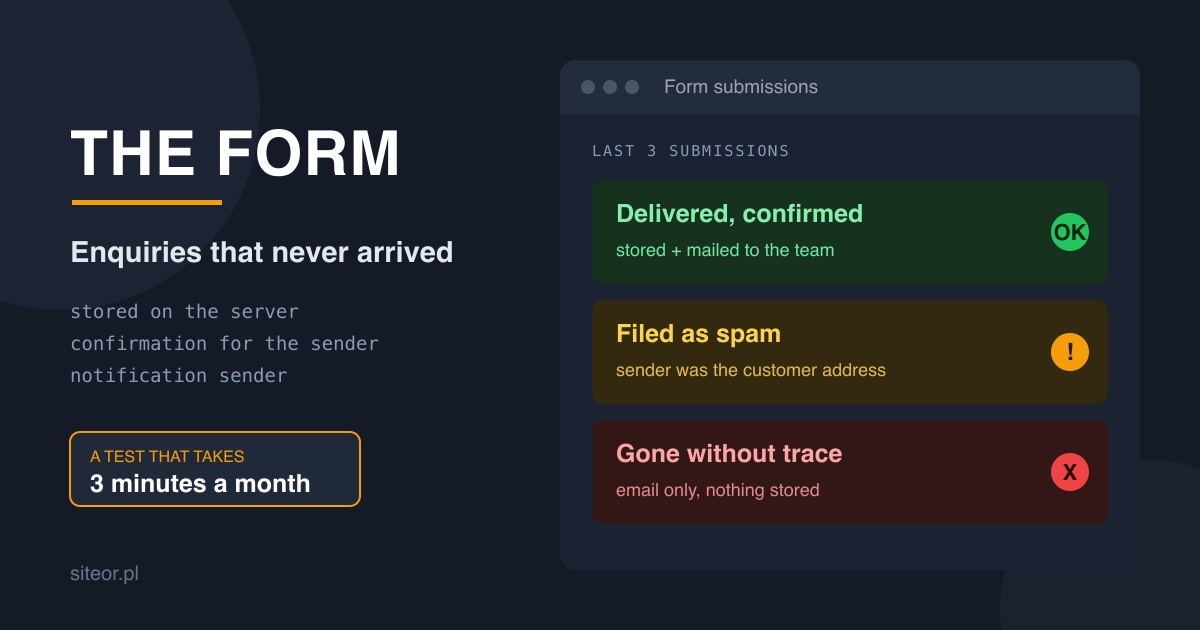
A contact form has one nasty property: when it stops working, it looks exactly the same as when nobody is writing to you. The page is up, the fields fill in, the button clicks. A month later someone calls, annoyed that they sent an enquiry and nobody replied. Below are the things we check for clients after that phone call, in order of how often they turn out to be the cause.
Submissions must land in a database, not only in an inbox
The most common mistake: the form sends an email and that is the whole mechanism. That email can land in spam, in a rule that archives it, or in the mailbox of someone who left the company. There is no trace that the enquiry ever existed.
A submission stored on the server survives all three. The email then becomes a notification rather than the only carrier of the content. If the notification is lost, the submission is still sitting on a list. This single change removes most cases of enquiries that supposedly never arrived.
An instant confirmation for the sender
Someone who filled in your form and got nothing back has no idea whether to wait or to go and write somewhere else. An automatic confirmation settles that in one sentence, and it also gives you proof that the submission went through.
Two things are worth putting in it: a short summary of what arrived, and when you will realistically reply. "We usually answer the next working day" is honest and works better than silence, or than a promise of an answer within the hour that nobody keeps.
Notifications sent on behalf of the customer land in spam
This is the classic that costs the most enquiries. The form sends the notification with the sender address set to the person who filled it in, so that hitting reply is convenient. The receiving server sees a message claiming to come from a foreign domain and, following authentication rules, files it as spam or rejects it outright.
The correct setup is this: the sender is your own address on your own domain, and the customer's address goes into the reply-to field. Hitting reply still works, and the message passes authentication. If submissions were disappearing without trace, nine times out of ten this was why.
Spam is filtered more quietly than with a captcha
A captcha also filters out some real people, especially older ones and those on phones. In most forms a hidden field is enough: a human never sees it and leaves it empty, a bot fills it in every time. A submission with that field filled gets dropped silently.
The second filter is time. A form completed two seconds after the page loaded was not completed by a person. Both measures are invisible to visitors and do not cost you a single genuine enquiry.
A mailbox that someone actually reads
Form notifications should go to a team address, not to one person's private mailbox. Holidays, a change of job or ordinary oversight turn the form into a black hole. If submissions also land in a system, you get assignment to a named person and a visible status, so after a week it is obvious that something has been sitting unanswered.
Test it yourself, once a month
The simplest test there is, and almost nobody runs it: once a month fill in your own form from your phone, on mobile data, using your private address. Check three things. Did the confirmation arrive. Did the notification reach the team mailbox without landing in spam. Is the submission visible on the list in your system.
Three minutes a month catches a failure you would otherwise hear about from an irritated customer six months later. In the meantime the form looks perfectly normal.